Over the past few weeks we’ve introduced a few key improvements to Scoold and Scoold Pro. Most importantly, we implemented a brand-new admin dashboard for both the open-source and Pro versions.
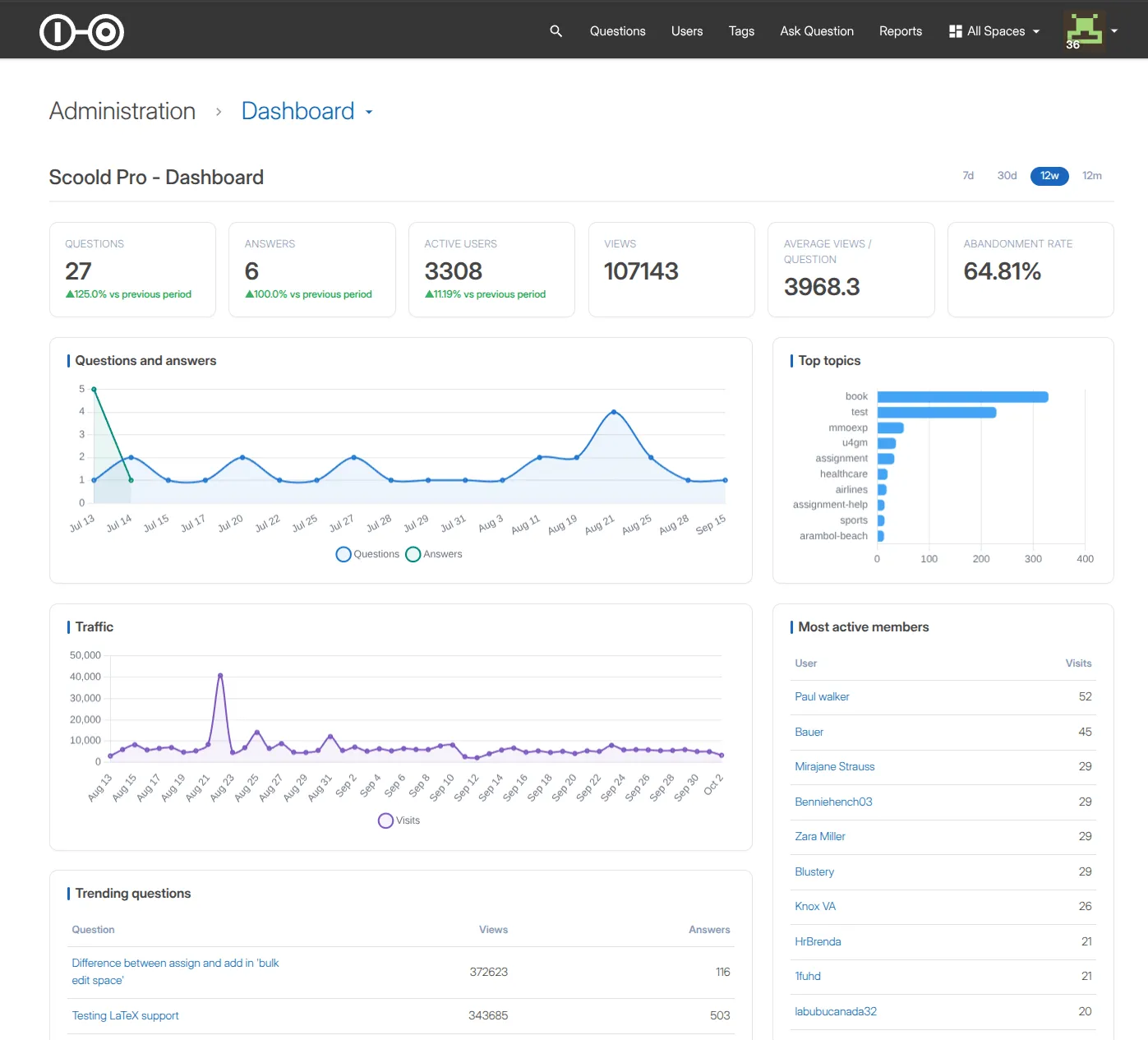
The dashboard gives administrators an at-a-glance view of what’s happening across their Scoold installation, with statistics, activity metrics, charts, trending content, user engagement and more.
And there’s another interesting story behind this release: we built most of it with an AI coding agent.
A dashboard for your Q&A community
The new dashboard is available from the /admin section of Scoold and is designed to give administrators a quick overview of the health and activity of their Q&A community.
Among other things, it provides information about:
- Top users and user engagement
- Trending content
- Questions and answers
- Views and votes
- Reputation points
- Engagement over time
- Basic community statistics
- Recent activity
One of the most useful views for an administrator is identifying questions that have remained unanswered for a long time. These are often the questions that need attention from moderators or subject-matter experts.
The dashboard also makes it easier to spot which parts of your knowledge base are getting the most attention and which users are contributing the most.
Building the dashboard with OpenCode
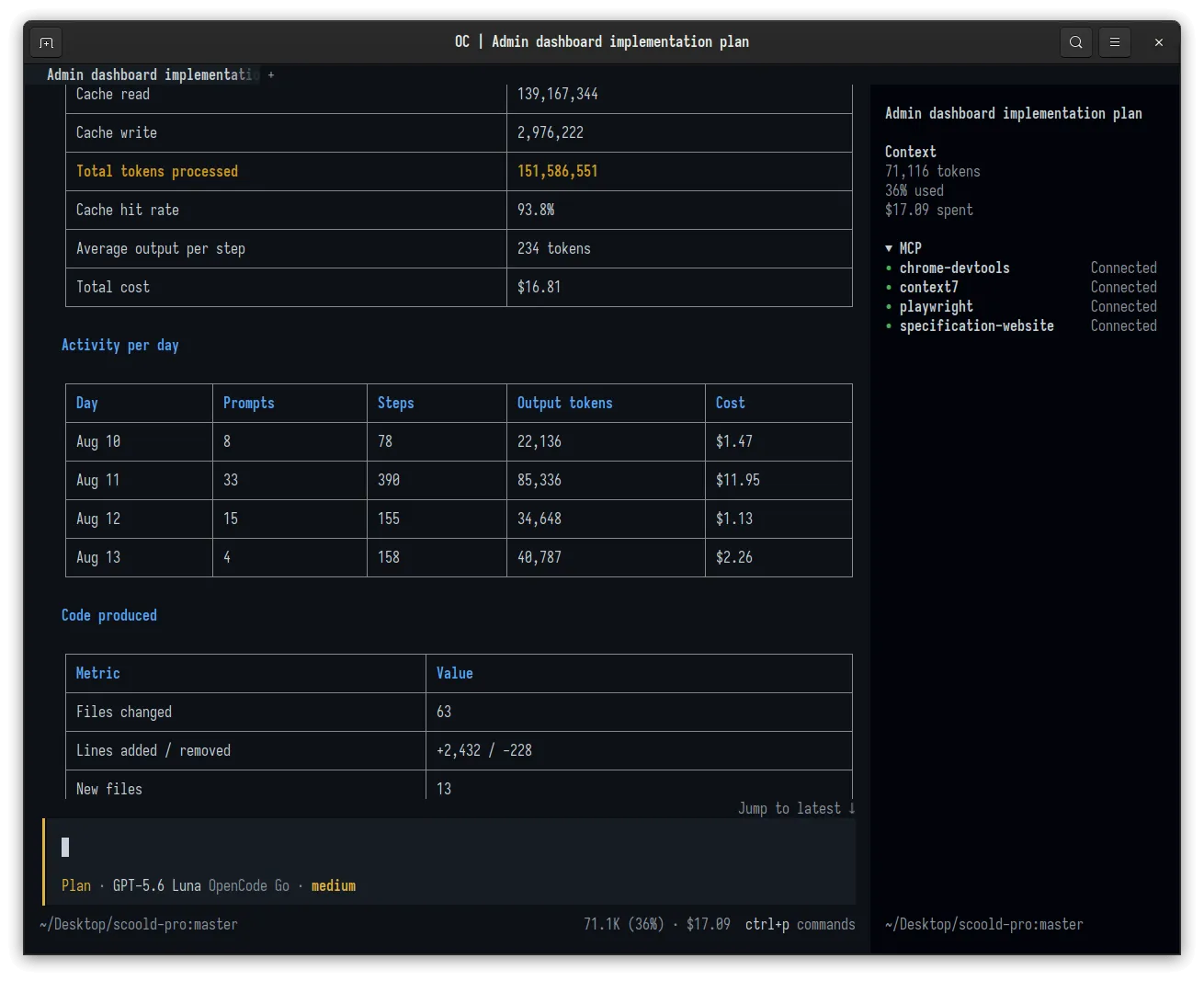
For this feature, I used OpenCode, an open-source AI coding agent, to do most of the implementation work.
I started by preparing a PRD.md describing the feature and providing screenshots showing the kind of dashboard UI we wanted.
The agent had access to the existing Scoold codebase and the design references.
From there, the work became an iterative collaboration between me and the coding agent. You can read the full breakdown of how this feature was implemented using OpenCode on our company blog.
More new features ✨
On the admin dashboard page, there’s also a new audit log section, allowing administrators to see all important events happening on the site.
Security events are now recorded for roughly 45 actions (post deletion, role changes, webhook changes, space renames, API token create/revoke,
config changes, signin failures, data export/import, and so on). Each entry stores the action, resource, link, and result.
High-traffic events (question.view, user.search, question.like, user.mention) are explicitly excluded from the log.
Admins can view and clear it from the dashboard.
We’ve also added per-post anonymity. A new checkbox appears on the question and answer forms for signed-in users, allowing them to post anonymously.
The real creatorid is preserved, so reputation, badges, ownership checks, and moderation still work, while the displayed author is masked.
On the administration page, there are new theme previews, displaying screenshot for how Scoold would look like with the selected theme.
Also on the administration page, under the “Environment” section there’s a new list of third-party licenses, generated from a bundled on every build.
The voting buttons can be enabled on the homepage with a new configuration property scoold.voting_on_homepage_enabled = true.
By default, they are still hidden.
Search queries were rewritten for better results and the default sort changed from timestamp-based to score-based.
Query helpers moved out of ScooldUtils into a new SearchUtils class.
This is a user-visible change to result ordering everywhere search is used, including the API and the Slack/Mattermost/Teams bots.
Important security fixes
A new IP allowlist for anonymous posting was added. The feature is configured with scoold.anonymous_posts_ip_allowlist = "IP1,IP2" which accepts IPs
and CIDR ranges (for example 10.0.0.0/8,203.0.113.5). This makes unauthenticated posting more secure and restricted.
Personal API tokens can be configured with a variable validity period now, with scoold.personal_token_expires_after = 0.
This would display a select box on the settings page, so users choose the lifespan of their own tokens (PATs).
And last but not least, thirteen authorization fixes landed in 1.70.1, all around missing permission checks around personal API tokens.
If you’re using Scoold with MCP server enabled, make sure you update as soon as possible.
About the author

Founder & Indie Hacker