Scoold + Mattermost



Ask questions from Mattermost. Get answers in Scoold. Build a permanent knowledge base.
If your organization runs Mattermost for secure, self-hosted chat, Scoold is the perfect companion for knowledge management. Both run on your infrastructure - complete data sovereignty.
Integration highlights
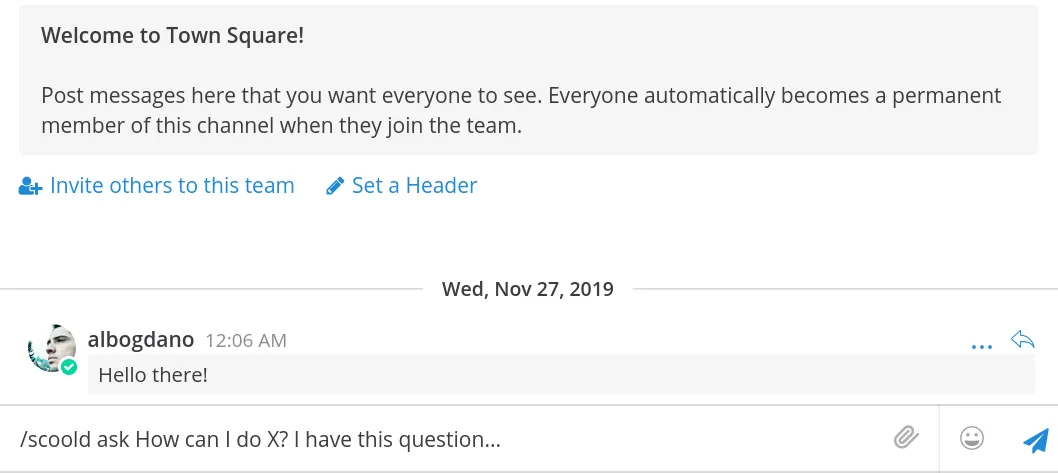
Create questions and answers instantly from Mattermost
• Asking a question on Mattermost is as easy as writing /scoold ask How do I...?
• To answer, simply type in /scoold answer [question URL] Here's my answer...
• You can also turn any chat message into a Scoold question or answer by using the special message actions.
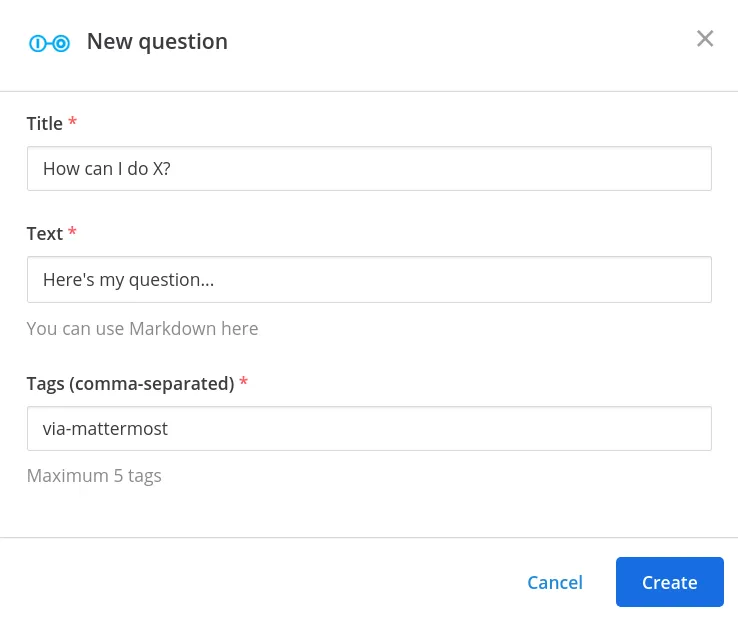
Full editing capability
• Compose a new question by typing in the /scoold ask slash command.
• To compose a new answer, type in /scoold answer
• Write longer pieces of text, choose the exact title and tags you want your question to have.
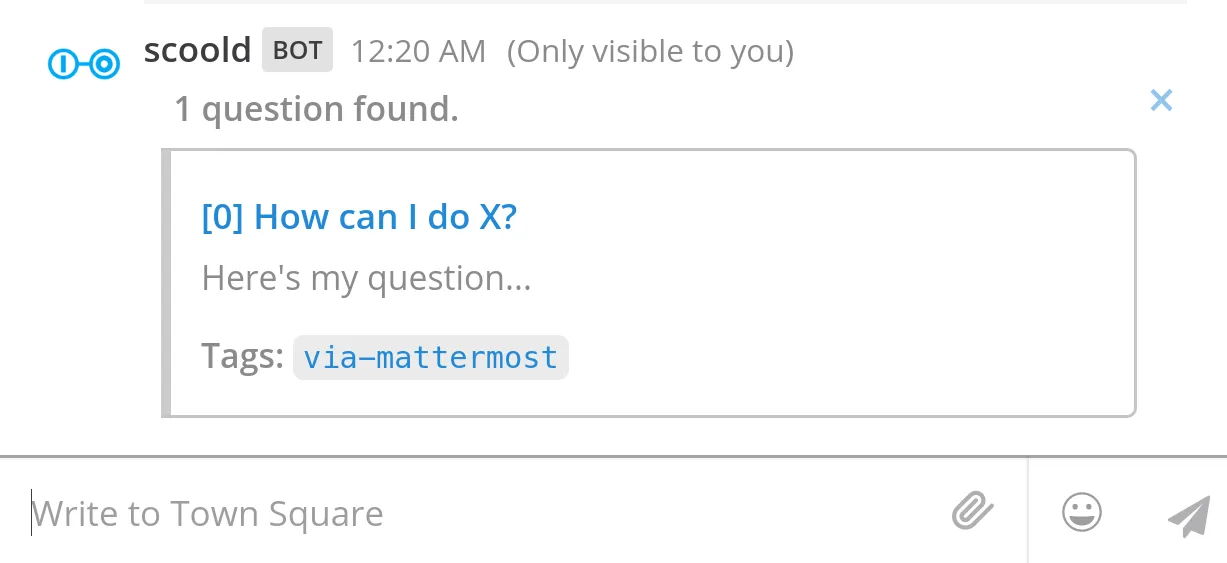
Search for questions, people or tags
Perform advanced search queries from any Mattermost channel by using the slash commands:
•/scoold search {query}
•/scoold search-people {name}
•/scoold search-tags {tag}
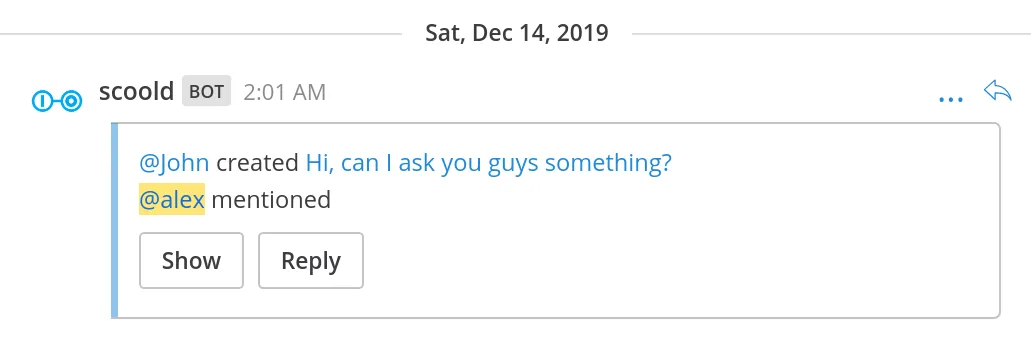
Real-time notifications
• Linked channels will be instantly notified whenever a new question or answer is created on Scoold.
• Mentions of people in chat are sent to the channel even if the person is mentioned at a later revision of the post.
• Mention anyone in Scoold from Mattermost, by linking to their profile in your post.
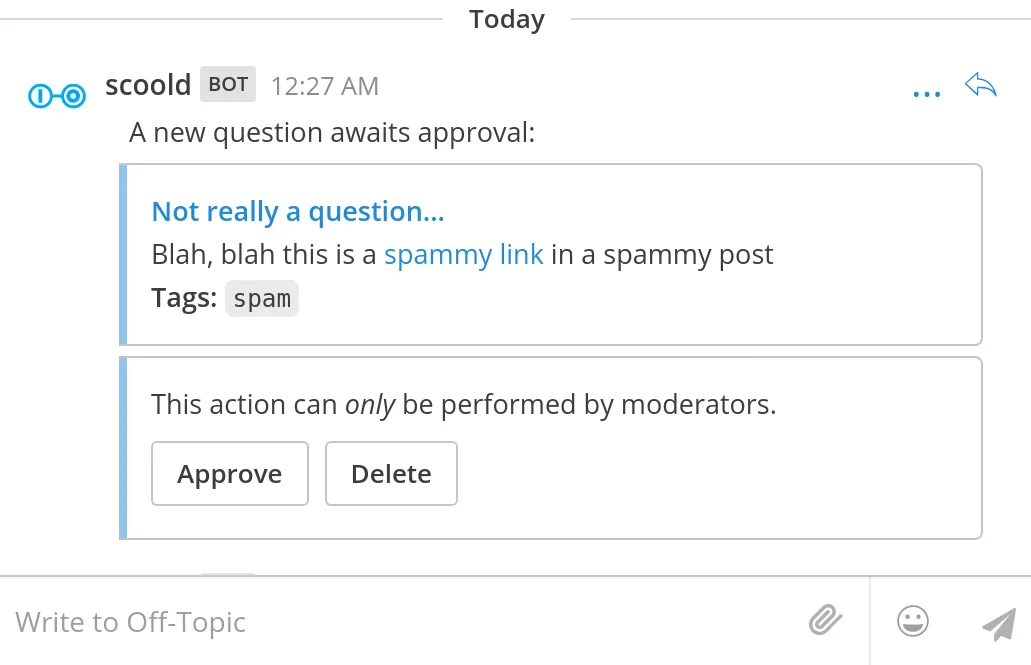
Approve questions and answers without leaving the channel
• A handy feature for moderators who wish to keep an eye on new posts on Scoold.
• If new posts require explicit approval from mods, Scoold will notify the chat by presenting the option to "Approve" or "Delete" the newly created post.
How to set it up
- 1
You'll need both Scoold Pro and Mattermost up and running first.
- 2
In Mattermost, enable OAuth2 and create a new OAuth2 trusted application.
- 3
Copy the app credentials and configure Scoold to use them.
- 4
Connect Scoold to Teams from the "Administration" page in Scoold.
- 5
Follow the documentation to get started.
Need detailed setup instructions? Read the documentation →
Ready to build your team's Knowledge Base?Community Forum?Developer Hub?Support Center?Q&A Platform?Issue Tracker?
Join hundreds of organizations using Scoold Pro to capture and share knowledge effectively. Choose between a self-hosted license or a cloud subscription.